


Worcester Telegram & Gazette
2.777.00 Reviews
App Specs
- Version
- 8.10.3
- Updated On
- License
- Free
- Downloads
- 10,000+
- Developer
- USA TODAY Co.
- Categories
- News & Magazines
- Platform
- Android
Screenshots
 Analysis by AppCompare
I treat a local news app differently from a general newspaper app: its value depends on whether it helps me understand what is happening in the place I care about, not simply how many stories it can show me. Worcester Telegram & Gazette is aimed at readers who want Worcester coverage alongside broader news, and its publisher, USA TODAY Co., gives it a clear local-news identity. That focus is the main reason I would consider it over a broad national news feed; it is also the reason it will not suit everyone.
There is a practical trust question here, too. News apps can ask for attention through alerts, encourage account creation, or place paid access alongside free reading. I would judge this one by the choices a reader can actually make and by the terms visible before committing, rather than assuming that a familiar publication name guarantees a particular privacy or account experience. The app is free to install, while in-app purchases are listed from $19.99 to $69.99 per item, so I would check the purchase details on the screen before confirming anything.
Who benefits most from a Worcester-first feed
This is most useful to someone whose daily routine is tied to Worcester: a resident checking local developments before work, a former resident keeping up with home, or a reader following local sports and public affairs. If your interest is mostly national headlines, a broad news app may be more efficient. If what you want is a closer view of the city and surrounding community, a local publication can offer a different kind of relevance than a national front page.
A realistic use case is checking the app over breakfast, scanning local headlines first, then saving a longer story for a commute or a quiet break. That workflow makes sense when you want to keep up without turning news reading into a long session. I would treat saved stories as a reading queue rather than assuming they are an offline archive; before relying on one without a connection, I would open it and see whether the content is available.
Choices worth making before the first busy day
Notifications are most useful when they are selective. I would begin with only the alerts that genuinely matter to me, then adjust if the headlines prove too frequent or too broad. That small choice makes a local news app feel more like a useful signal than a constant interruption. If you prefer to decide when to check the news, leaving alerts off and opening the app at set times is a perfectly sensible way to use it.
Likewise, a customizable feed is most helpful when it reflects actual reading habits, not an idealized list of interests. I would prioritize the subjects I reliably follow and revisit those choices after a week. For example, someone who opens the sports section only during a particular season may prefer not to give it permanent prominence. This is a simple way to keep the front page relevant without expecting the app to guess what matters.
How it sits beside other news options
Compared with a national news aggregator, Worcester Telegram & Gazette has a more specific local purpose. An aggregator can be convenient for seeing many publishers in one place, but its breadth may leave local reporting harder to find. Compared with opening a newspaper’s website in a browser, an app can make repeat visits and saved reading feel more direct. The trade-off is that a dedicated app asks for space on your phone and may put account or purchase prompts within the same reading journey.
Worth Reading Before You Choose

Flipboard Shows What News Apps Must Do Beyond the Feed

Switching to Android Auto Means Rethinking Your Driving Routine

Google Calendar Makes a Crowded Week Easier to Manage

Ludo King Makes the Most of the Minutes Between Plans

Baby Panda World Brings Quick Play to Modern Phones, but Its Game Library Feels Busy

ESPN’s Live Game View Makes Following Close Games Easier
I would not choose it as my only source for every subject. For a developing national story, checking more than one reputable outlet is a good habit; for Worcester-focused reading, a local publication is the more natural starting point. The app is for readers who value that local lens enough to return to it, not for someone who simply wants the shortest possible stream of general headlines.
Its audience rating is 2.6 from 267 ratings, with 77 written reviews, a mixed signal rather than a reason by itself to dismiss the app. I would use that as a prompt to try the current experience carefully: see whether the sections match your interests, whether the reading flow works on your device, and whether any purchase prompts fit what you want. It has more than 10,000 installs, but popularity alone cannot tell me whether its local coverage suits an individual reader.
Getting Started with Worcester Telegram & Gazette
Have you ever felt the need to stay updated with all things happening around Worcester? Well, I stumbled upon an app that does just that and more. Let me introduce you to the Worcester Telegram & Gazette app. Whether you're a local or someone interested in Worcester's latest happenings, this app might just be your new best friend.
First things first, downloading the app was a breeze. You can easily find it on both Android and iOS platforms. Once installed, the interface greeted me with a clean and straightforward design. It's not cluttered, which is a relief because, let's face it, nobody has the time to sift through a messy app.
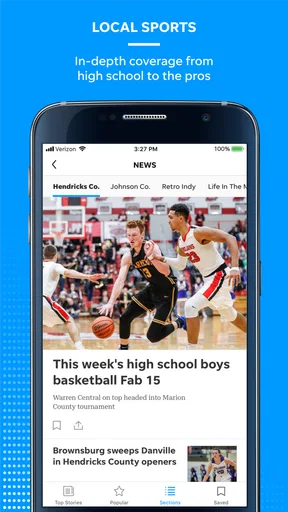
Upon opening the app, I was immediately impressed by how intuitive it felt. The main menu offers a variety of sections, from local news and sports to opinion pieces. It's all neatly organized, making it super easy to jump to the topics you're interested in.
Features That Stand Out
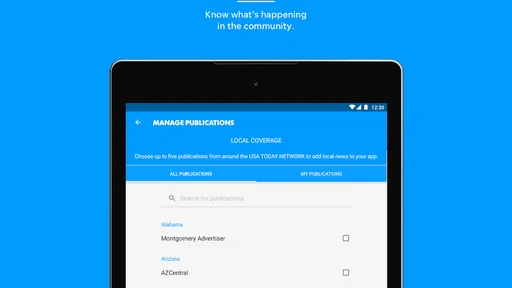
What really caught my attention was the customizable news feed. The app allows you to tailor your experience by selecting the categories you want to follow. If you're more into sports, you can prioritize that, and if politics is your thing, there's a section for that too. It’s like having your personal news assistant!
I also found the push notifications quite handy. You can opt to receive alerts for breaking news, which ensures you never miss out on important updates. But don't worry, the app is smart enough not to bombard you with unnecessary notifications. It’s a fine balance, keeping you informed without overwhelming you.
User Experience and Interaction
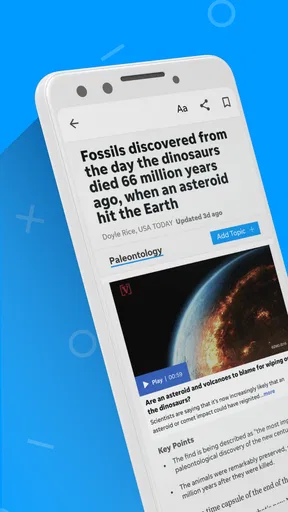
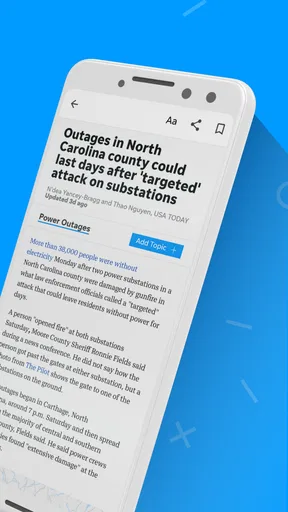
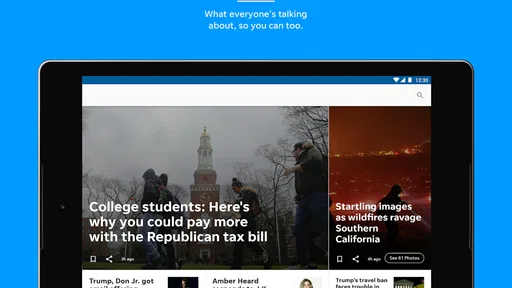
Scrolling through articles is smooth, and the reading experience is pretty delightful. The text is easy on the eyes, and the images are crisp and relevant. There’s also an option to save articles for later, which I found particularly useful for those busy mornings when I only have time for a quick glance at the headlines.
Engaging with the content is a breeze too. You can easily share articles across your social media platforms or send them directly to friends. There’s even a comment section under each article, allowing for a community feel where you can express your thoughts and see what others are saying.
Reading with care: the trade-offs
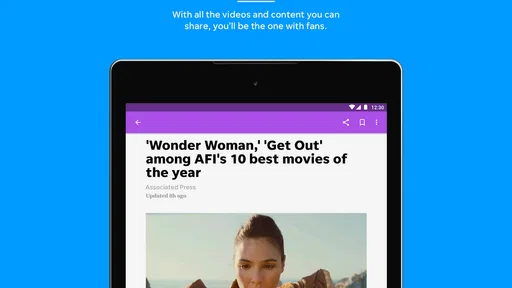
The mix of photographs, video and written reporting can be a strength when a story is easier to grasp visually. It can also use more of your attention than a quick headline scan, so I would save video viewing for when I have time rather than opening it in the middle of another task. If I am trying to catch up quickly, I would read the headline and opening, then decide whether the full article is worth setting aside time for.
For a local reader, the comments can add a sense of how neighbors are reacting, but I would keep readers’ opinions distinct from reported facts. A comment thread is a place for discussion, not a substitute for the article’s sourcing or for checking an important claim. Sharing a story is similarly useful when I want a friend to see the same report, though I would include my own brief context rather than assuming a link alone explains why it matters.
One practical question is whether the app can replace a paid newspaper subscription. I would not assume that free installation means every article is free to read: the listed in-app purchase range makes it sensible to review any offer and its terms before paying. If a prompt appears, pause to check what access it buys and whether it is a one-time purchase or another arrangement as described on that screen. Readers who only want occasional headlines may prefer to avoid a purchase until they know how often they use the app.
What Could Be Improved
While the app does a great job overall, there's always room for improvement. One area that could use a little tweak is the search functionality. It works, but sometimes it feels a bit slow or doesn't return the most relevant results. It's not a dealbreaker, but something that could be enhanced to make the app even better.
Another thing is the occasional ad pop-ups. I get it, ads are necessary, but a few times they interrupted my reading experience. Perhaps a more seamless integration of advertisements would smooth out this minor hiccup.
What I would check before settling in
Because search can be less dependable than browsing a section, I would use the topic menu for routine reading and reserve search for a particular name or story I already have in mind. If a result seems off, changing the search wording or navigating through the relevant section may be faster than repeatedly trying the same phrase. That is a modest workaround, not a substitute for a stronger search tool, and it matters most to readers who often revisit older coverage.
On the trust side, I would review the app’s permission requests when they appear and allow only what I am comfortable with for the functions I intend to use. I would also look at the account and purchase choices presented in the app rather than treating installation as consent to every optional feature. Those are useful habits for any news app, especially one used regularly, but I would not infer a particular data policy from the presence of a local newsroom or a recognizable publisher.
For Android readers, the stated minimum operating system is version 8.0, and the current version is 8.7.1. The app is marked for Everyone, which makes its age classification broad, but that does not mean every article will suit every reader’s preferences. It is free to install, so trying the layout and local coverage before making any paid choice is the cautious route. Readers on a device that does not meet the minimum system requirement should check compatibility before planning to rely on it.
Wrapping It Up
All in all, the app is a solid choice for anyone wanting to keep a finger on the pulse of Worcester. Its user-friendly design, customizable features, and reliable news coverage make it a must-have. While there are a few areas that could use some polish, the overall experience is positive and worth giving a shot.
So, if you’re looking to stay informed about Worcester’s latest, this app is definitely worth checking out. Go ahead, download it, and start exploring all the news Worcester has to offer!
My cautious recommendation
I would recommend giving it a try if Worcester news is a regular part of your day and you like having local sections, saved reading and alerts in one place. I would skip it if you want a purely national feed, rarely read local reporting, or find interruptions and purchase prompts especially frustrating. In those cases, a browser or a broader news app may fit better.
The app’s strongest case is not that it replaces every news source, but that it gives Worcester-focused readers a convenient place to begin. I would shape the feed and alerts around my actual habits, use search with realistic expectations, and review any account or purchase choice before proceeding. With those limits in mind, it is a worthwhile option for local readers who want an easy way to keep up without expecting the app to answer every news need.
Pros
- Comprehensive local news coverage.
- User-friendly interface design.
- Timely notifications for breaking news.
- Seamless integration with social media.
- Customizable news alerts.
Cons
- Limited international news coverage.
- Occasional ad interruptions.
- Subscription required for full access.
- Some articles lack multimedia content.
- App can be slow on older devices.
FAQs for Worcester Telegram & Gazette
What features does the Worcester Telegram & Gazette app offer?
The Worcester Telegram & Gazette app provides users with access to local news, sports, entertainment, and community events in Worcester. It offers real-time updates, personalized notifications, and the ability to save articles for offline reading. The app also supports multimedia content, including videos and photo galleries, enhancing your news consumption experience.
Is the Worcester Telegram & Gazette app free to use?
The app itself is free to download, but it may require a subscription for full access to all content. Some articles and features might be available for free, while premium content will be behind a paywall. Check the app store description or the app itself for subscription details and pricing options.
How often is the content updated in the Worcester Telegram & Gazette app?
Content is updated regularly throughout the day to keep you informed with the latest news from Worcester and beyond. Breaking news and important updates are pushed in real-time. Users can customize notifications to stay updated on specific topics of interest, ensuring you never miss critical information.
Can I customize my news feed in the Worcester Telegram & Gazette app?
Yes, the app allows users to personalize their news feed. You can select your favorite categories, topics, or specific reporters to follow. This customization ensures that the news feed is tailored to your interests, making it easier to access the stories that matter most to you.
What devices are compatible with the Worcester Telegram & Gazette app?
The Worcester Telegram & Gazette app is available for both Android and iOS devices. It is compatible with most smartphones and tablets running recent versions of these operating systems. Check the app store for specific compatibility details and ensure your device meets the necessary requirements before downloading.


